Learn how to withdraw funds from your DOPAY e-wallet or crypto wallet to your personal or another user’s bank account or to another user’s e-wallet and crypto wallet.
With DOPAY, you can withdraw or send funds from your DOPAY wallets in a few simple steps. Depending on your needs, you may send funds to a bank account, transfer crypto to another user’s DOPAY crypto wallet, or send funds to another user’s DOPAY e-wallet.
When Should You Use the DOPAY Withdrawal Feature?
You may use the withdrawal feature when you want to:
- Transfer your DOPAY e-wallet funds to your personal bank account
- Send funds to another person’s bank account
- Move crypto from your DOPAY wallet to another DOPAY user’s crypto wallet
- Send money to another DOPAY user’s e-wallet
- Manage your funds conveniently from one wallet
DOPAY helps make fund transfers easier by giving you different withdrawal options in one app.
How To Withdraw Funds From Your DOPAY Wallet
Follow these steps to withdraw funds from your DOPAY wallet.
Step 1: Open the DOPAY App
Log in to your DOPAY account using the mobile app. Make sure your account details are correct and your wallet has enough available balance for the transaction.
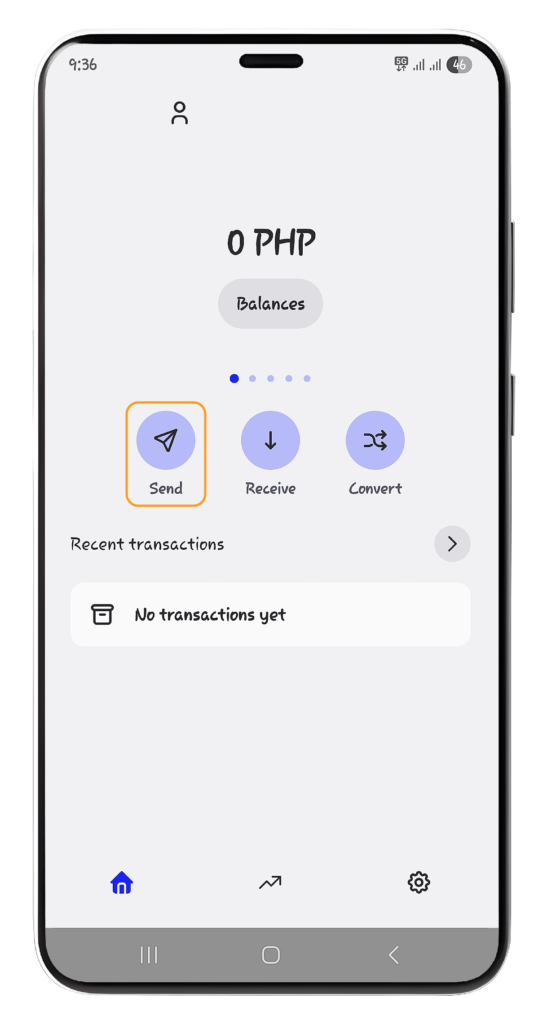
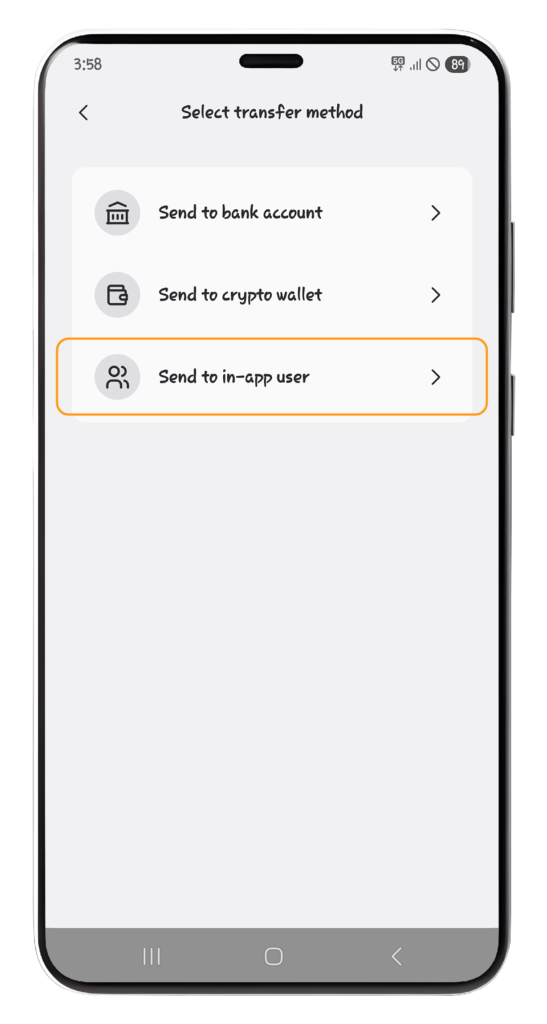
Step 2: Select “Send”
From your DOPAY wallet screen, tap “Send.” This will show the available transfer or withdrawal options.
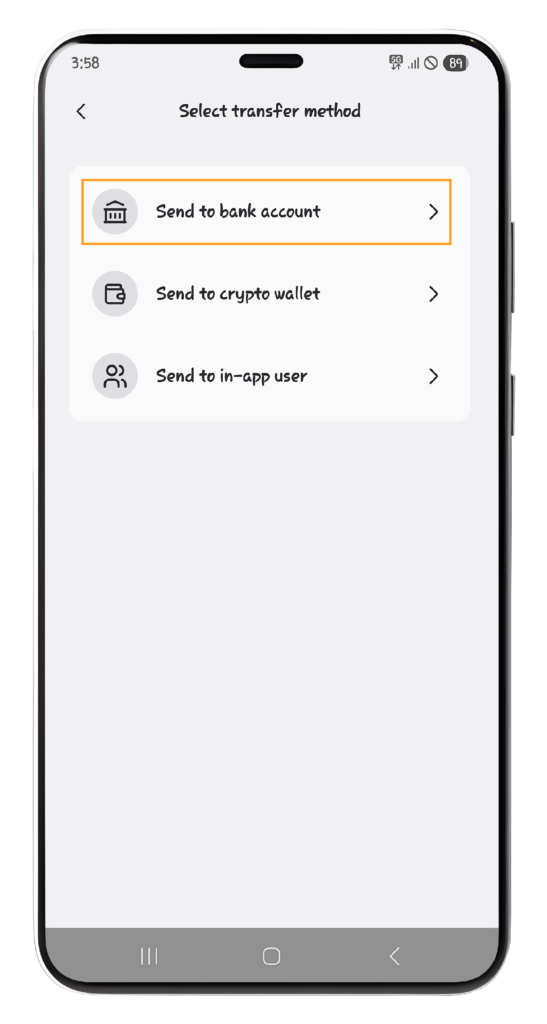
Step 3: Choose Your Preferred Withdrawal Option
You can choose the option that matches how you want to send or withdraw your funds.
Option 1: Send to Bank Account
Choose “Send to bank account” if you want to withdraw your funds to a bank account.
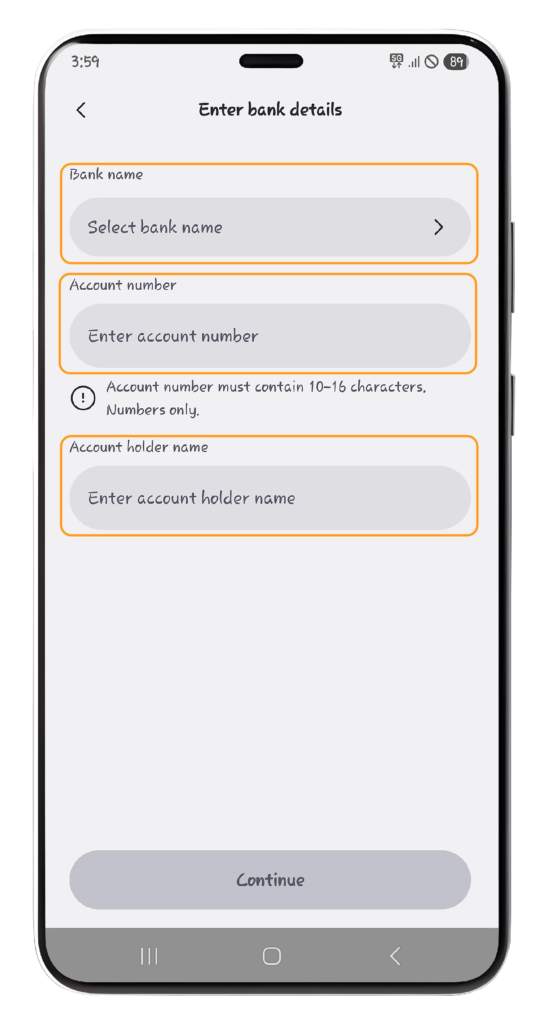
You will need to enter the following details:
- Bank Name
- Account Number
- Account Holder Name
- Amount to withdraw
Then, enter the “Amount” you wish to withdraw.
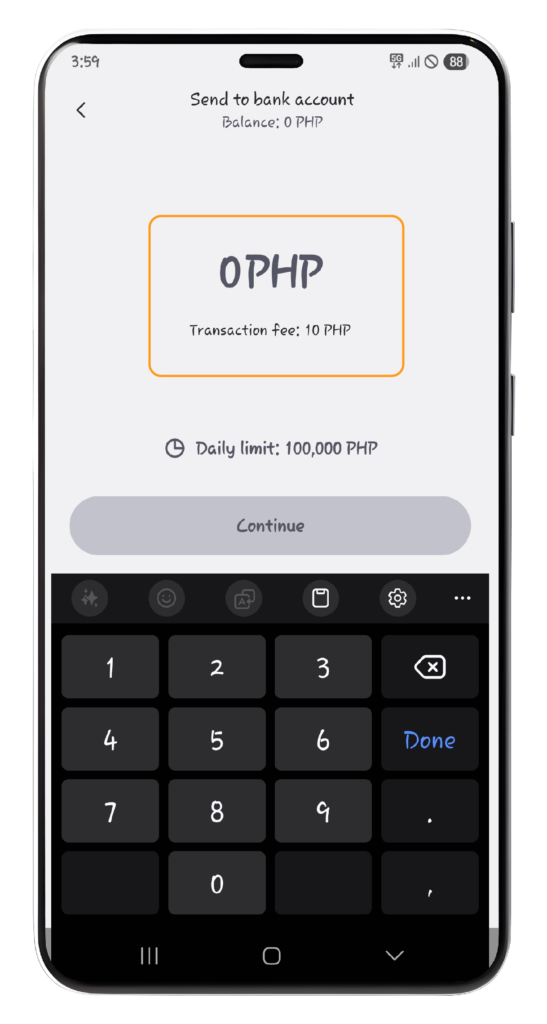
Before confirming, carefully review the bank details. Incorrect account information may cause delays or failed transactions.
Example Use Case
Use this option when you want to transfer your DOPAY wallet balance to your savings account, payroll account, or another supported bank account.
Benefit
This is useful when you want to access your funds through your bank, withdraw cash through an ATM, or keep money in your regular bank account.
Option 2: Send to Crypto Wallet
Choose “Send to crypto wallet” if you want to transfer supported cryptocurrency from your DOPAY wallet to an external crypto wallet.
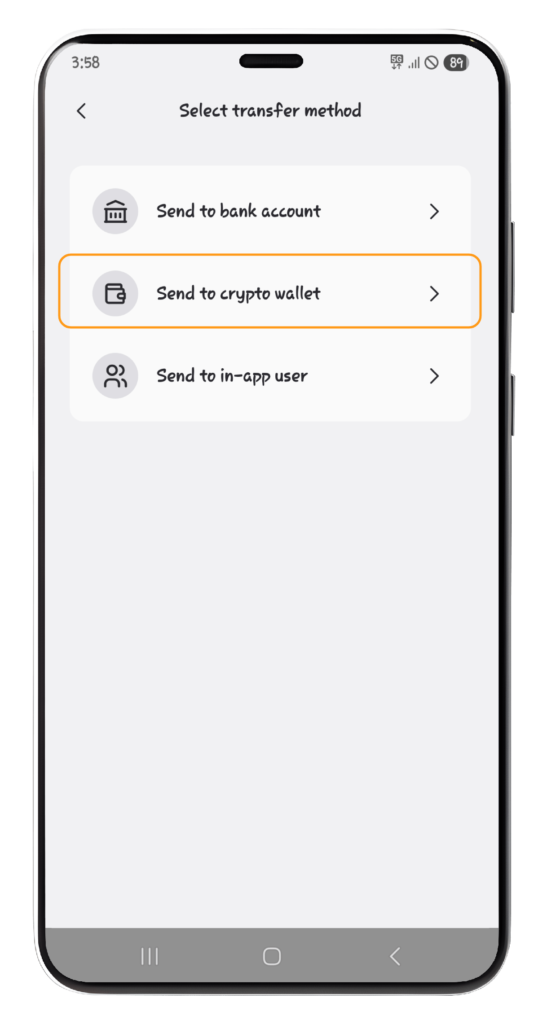
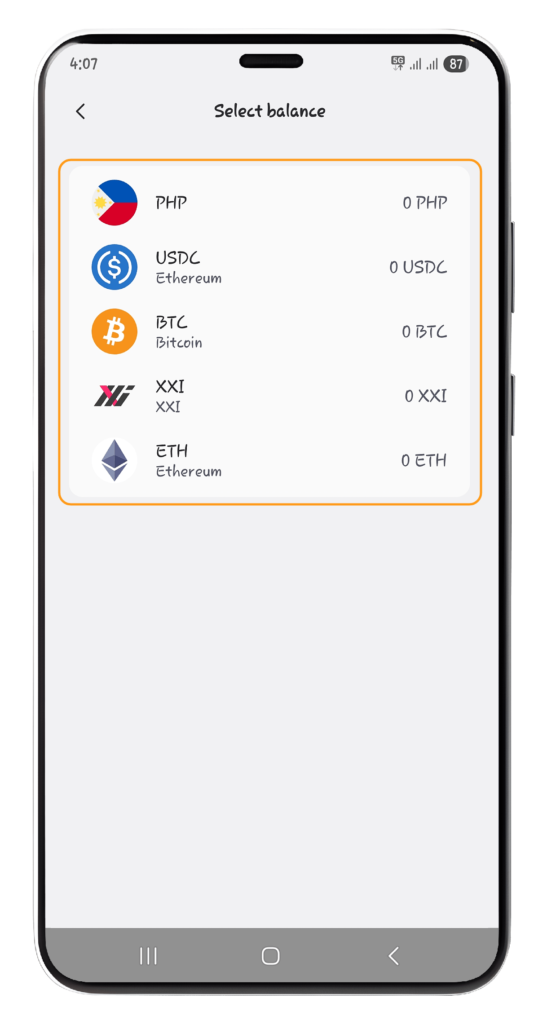
Then, Choose your preferred “Token.”
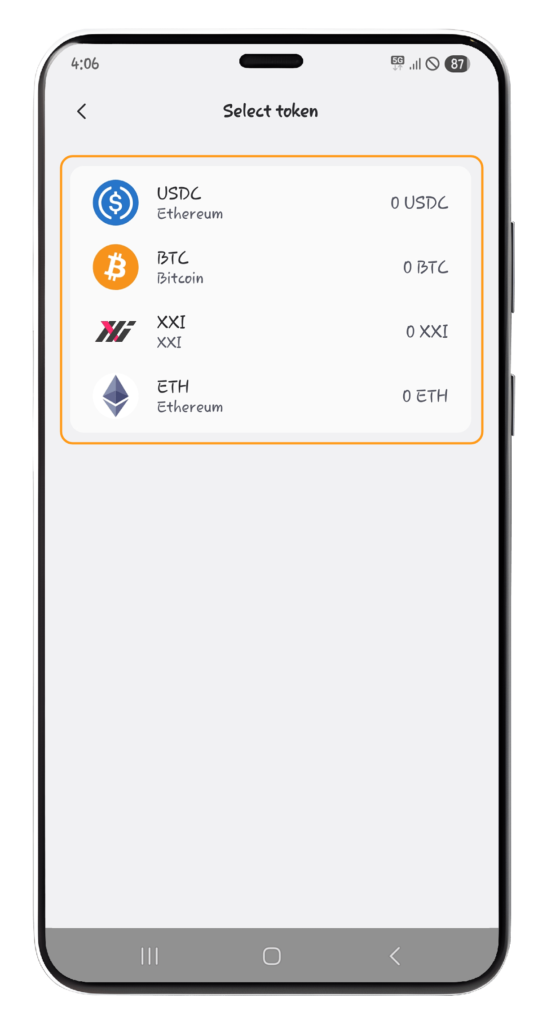
You will need to fill out the required crypto wallet details, such as the wallet address, network, asset, and amount, depending on what is required in the app.
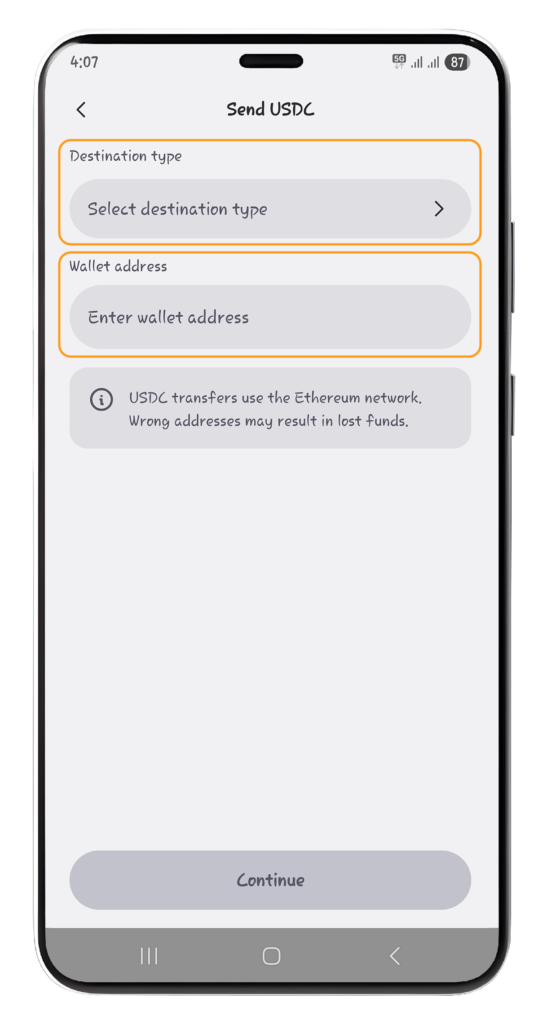
Always check the wallet address and network carefully before confirming. Crypto transactions may not be reversible once completed.
Example Use Case
Use this option when you want to move crypto to your personal DOPAY e-wallet or another user’s DOPAY user’s crypto wallet.
Benefit
This gives you more flexibility in managing your digital assets outside the DOPAY app.
Option 3: Send to In-App User
Choose “Send to in-app user” if you want to send funds to another DOPAY user.
Then, Choose your preferred “Token.”
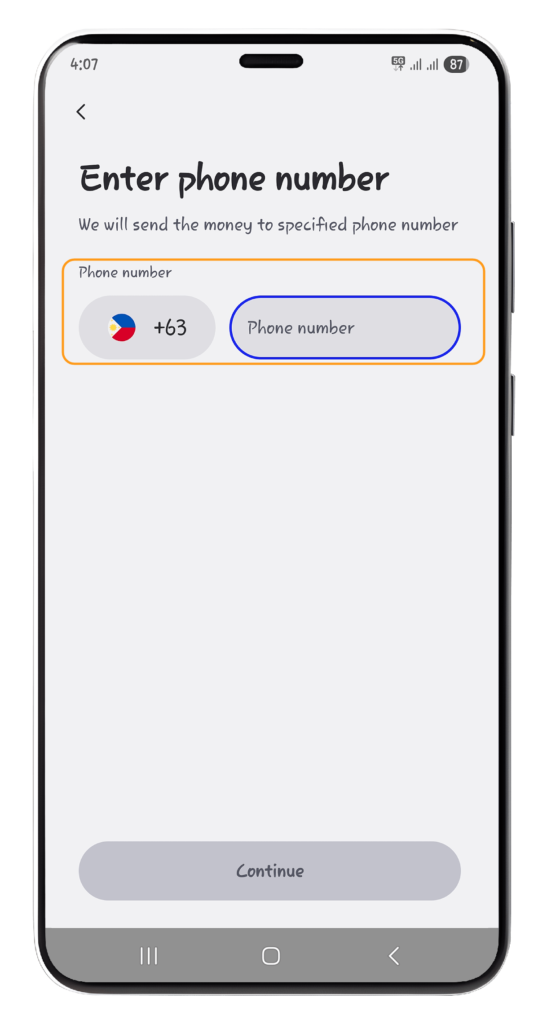
You will need to enter the required recipient details and the amount you want to send.
Example Use Case
Use this option when you want to send money to a friend, family member, colleague, or another DOPAY user quickly.
Benefit
This is a convenient way to transfer funds within the DOPAY app without needing external bank or wallet details.
Important Reminders Before You Confirm
Before completing your withdrawal or transfer, always review the transaction details carefully.
Check the following:
- Recipient name or account holder name
- Bank account number or crypto wallet address
- Transfer amount
- Selected bank, wallet, or transfer option
- Applicable fees, if shown
- Network or processing details, if applicable
Once your transaction is successful, you will receive an in-app confirmation.