Learn how to Top Up from your personal bank account to your DOPAY e-wallet or crypto wallet.
With DOPAY, you can top up/cash in from your personal bank account in a few simple steps.
This feature is useful when you want to fund your DOPAY e-wallet or crypto wallet.
When Should You Use the DOPAY Top Up Feature?
You may use the Top Up feature when you want to:
- Fund your DOPAY e-wallet
- Buy cryptocurrencies by funding your DOPAY crypto wallet
- Send money to other banks
- Pay for online bills or purchases
- Maintain funds for trading or payments
The DOPAY Top Up feature allows you to add funds from your personal bank account to your DOPAY e-wallet or crypto wallet without the hassle of traditional banking processes.
How To Top Up Your DOPAY Wallets
Follow these steps to top up funds to your DOPAY wallets (e-wallet and crypto wallet).
Step 1: Open your DOPAY Account
Log in to your DOPAY account using the mobile app. Make sure your account details are correct.
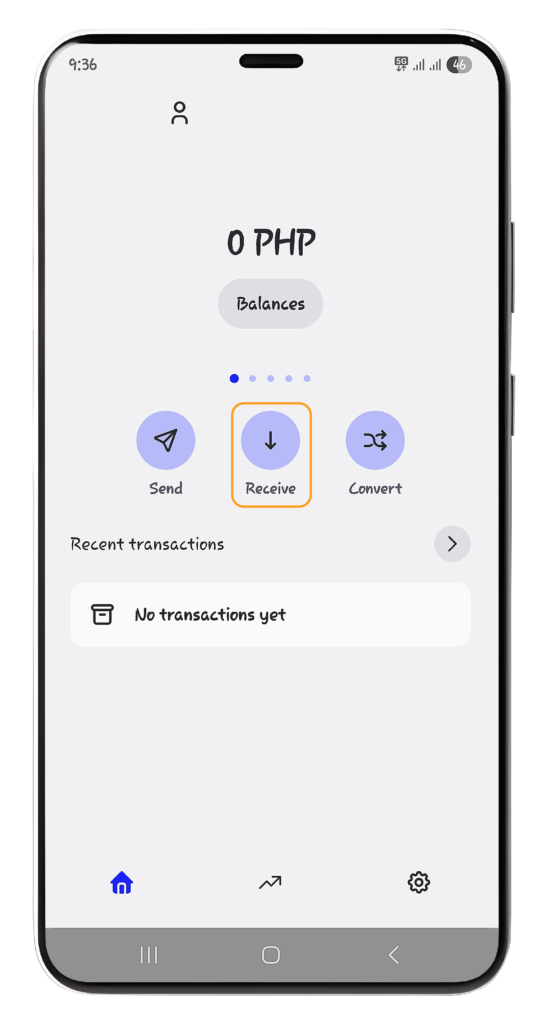
Step 2: Click “Receive.”
From your DOPAY wallet screen, tap “Receive.” This will show the available transfer or withdrawal options.
Step 3: Select your preferred option:
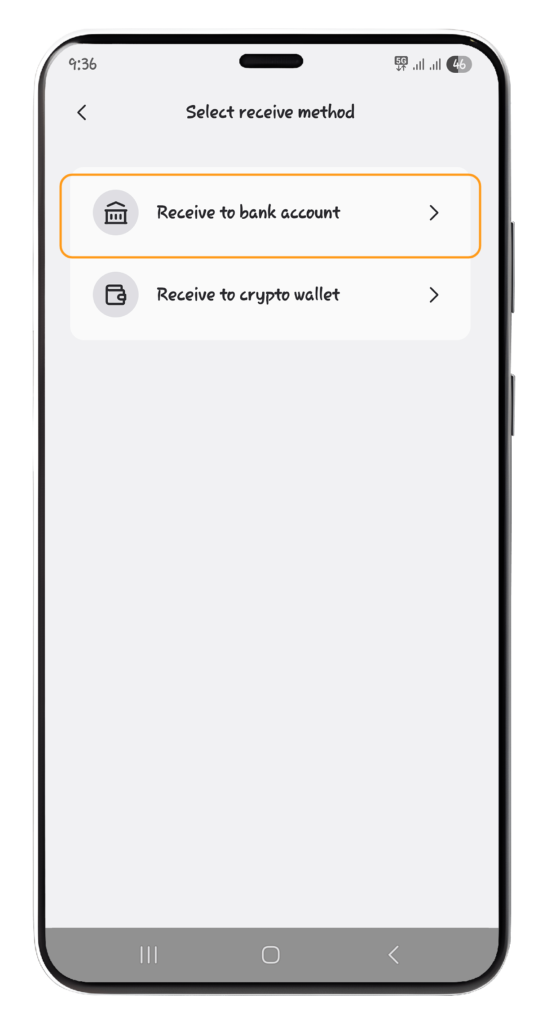
Option 1: Receive to bank account
Choose “Receive to bank account” if you want to deposit funds to your DOPAY wallet.
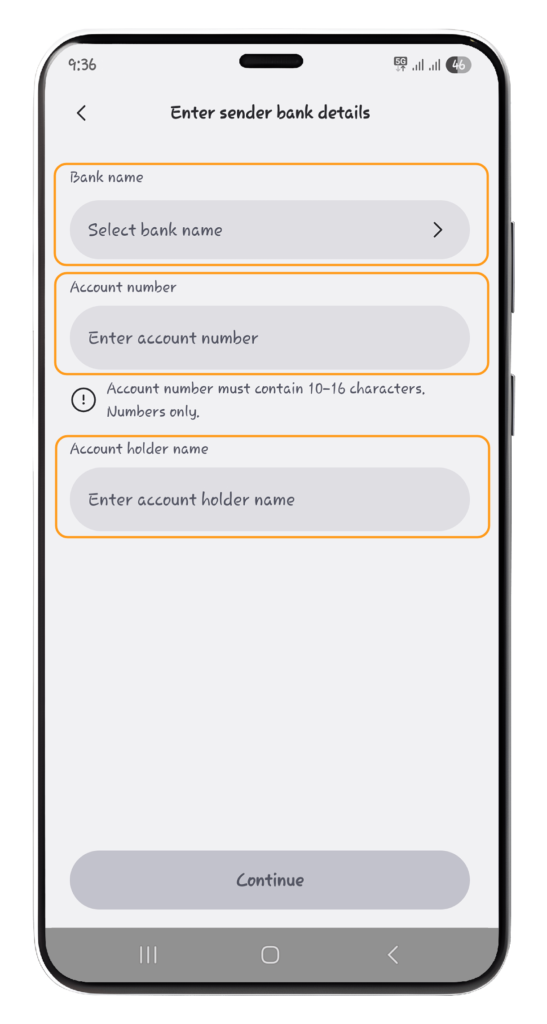
You will need to enter the following details:
- Bank Name
- Account Name
- Account Holder Name
Then, enter the “Amount” you wish to deposit in your DOPAY account.
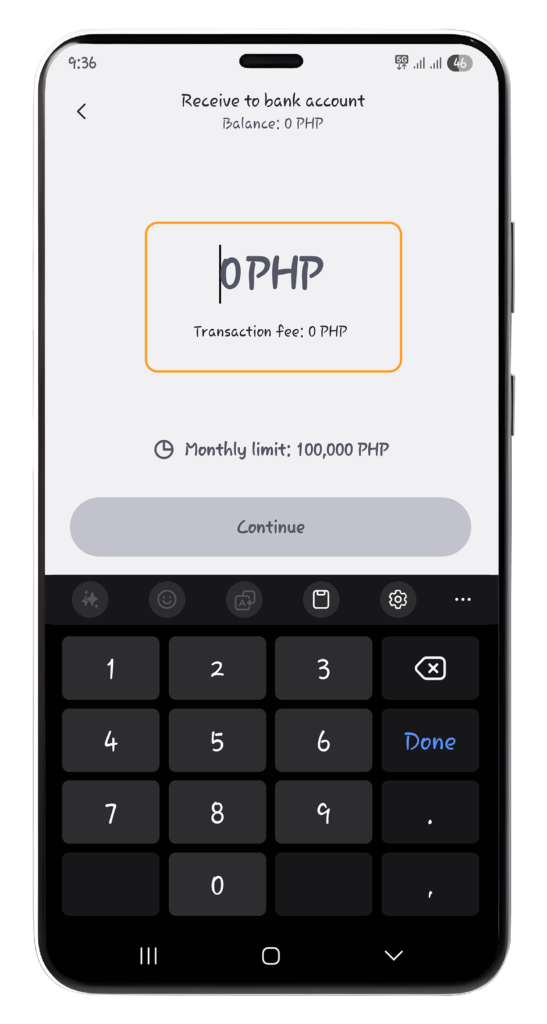
Before confirming, carefully review the bank details. Incorrect account information may cause delays or failed transactions.
Example Use Case
Use this option when you want to fund your DOPAY wallet, pay for bills or online purchases, or transfer funds to another bank.
Benefit
The Top Up feature lets you fund your wallet quickly and easily without going through traditional banking processes, giving you access to your DOPAY wallets anytime and anywhere.
Option 2: Receive to Crypto wallet
Click “Receive to crypto wallet” if you want to deposit funds to your DOPAY cryptocurrency wallet.
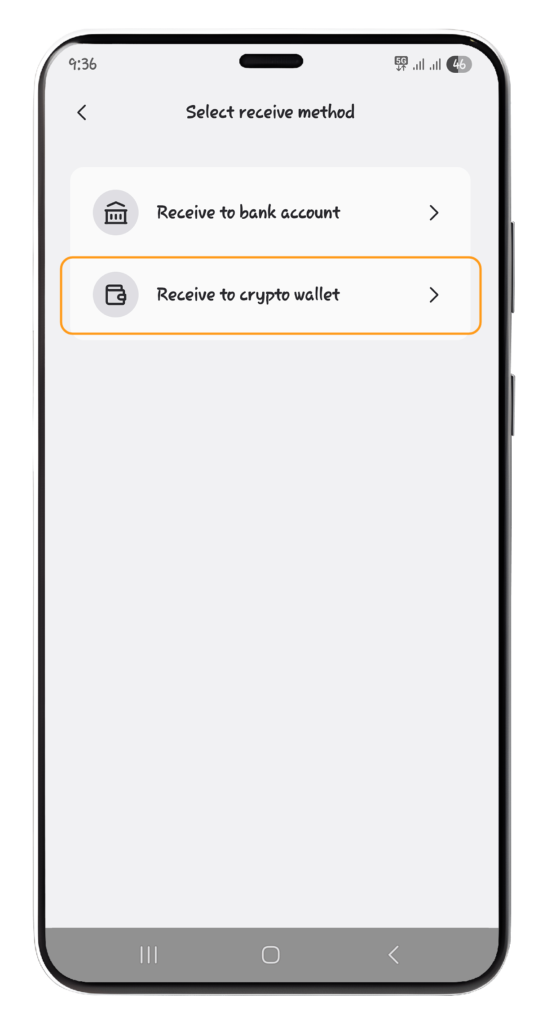
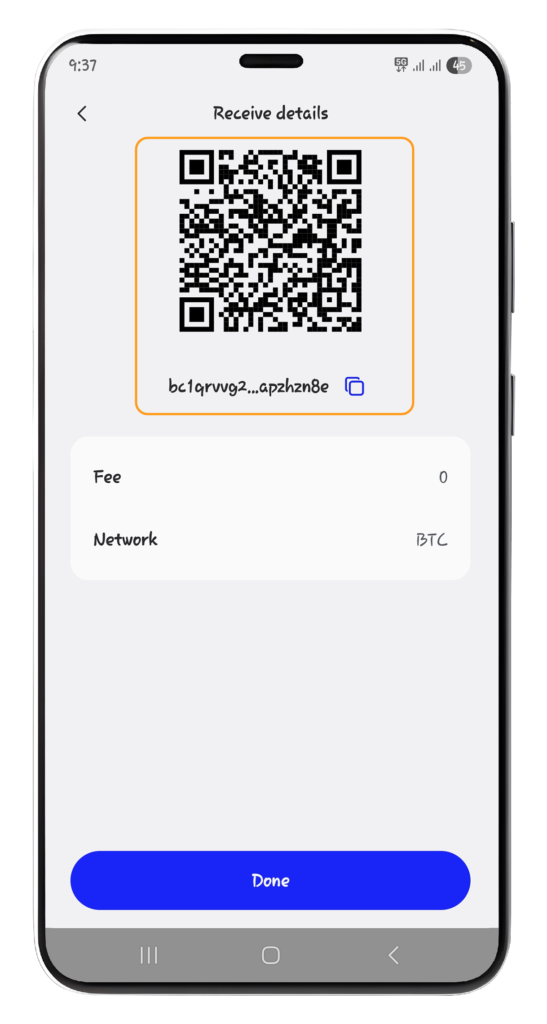
Then, you will need scan the “QR code” or click the “copy button.”
Example Use Case
Use this option when you want to fund your DOPAY crypto wallet to buy cryptocurrencies, convert fiat into tokens for trading, or transfer funds to other wallets or exchanges.
Benefit
This is useful if you want to convert your fiat to crypto assets, pay for services, earn rewards, or store your funds in a secure digital wallet.
Important Reminders
- You have two (2) business days from the date of your Top Up request to complete the deposit as instructed in the app. Failure to do so will result in the forfeiture of your request.
- Your deposited funds will be credited to your DOPAY electronic or cryptocurrency wallet upon successful confirmation.