
Why you should know this
KYC—Know Your Customer—is an identity-checking process used by regulated financial services. It can support account integrity and legal obligations, but it also involves valuable personal data. A fake KYC page can steal an ID while pretendin g to improve security.
Understanding the reason and the safe route lets us cooperate with legitimate checks without obeying every message that says “verify now.”
Why a crypto service may ask for KYC
Philippine VASPs are subject to customer due-diligence requirements. Depending on the service and risk, onboarding may request a legal name, date of birth, address, valid ID, selfie or liveness check, and information relevant to account use. Requirements and acceptable documents vary.
KYC does not make an asset profitable, insure a balance or prove every product is available. It verifies aspects of the customer relationship.
KYC and account security are different jobs
KYC asks, in effect, “Who is opening or using this account?” Authentication asks, “Is this the authorized person trying to enter now?” Transaction monitoring asks whether later activity fits legal and risk controls. These processes may share information, but passing one does not replace the others.
That distinction prevents two common misunderstandings. A verified account can still be taken over through a weak email or stolen code. And a request for additional information is not automatically evidence that an account was hacked. We should identify which process is happening before deciding how to respond.
The safest attitude is cooperative but bounded: provide the required information inside the verified process, ask for clarification when the purpose is unclear, and never hand over login or wallet authority.
Verify the exact entity and activity
A familiar brand name is not enough. A group can contain several companies, and a registration may cover one regulated activity rather than every product in an app. Check the legal entity named in the terms, the official domain, the relevant regulator entry and the activity being offered.
For a Philippine-facing virtual-asset service, the BSP Verifier is a useful starting point where BSP supervision applies. Match the name carefully. Also read current official advisories because status and availability can change. A regulator listing helps identify a provider; it is not an investment endorsement, price guarantee or promise that every transaction will be accepted.
If the service is based elsewhere, identify which company contracts with Philippine users and which authority, if any, supervises that activity. “Licensed somewhere” is too vague to support an onboarding decision.
Before creating the account
- Verify the provider and activity. Use the BSP Verifier or relevant authority. Confirm the category; a listing is not an endorsement of a token.
- Find the official entry point independently. Type or bookmark the verified domain, or reach the app store from the provider’s official site. Do not begin from an unsolicited message or advertisement.
- Prepare a protected email and device. Update software, use a screen lock and secure the email recovery path.
- Read the privacy notice and terms. Check who collects the data, why, where support is located and how complaints are handled.
- Create unique authentication. Prefer a supported passkey or unique password plus strong MFA. Save recovery codes safely.
Make a short onboarding record containing the legal entity, verified domain, date checked, official support route and privacy-notice link. Do not put your password, OTP, ID image or seed phrase in that record. It is a map back to trusted channels, not a second identity vault.
Protect the document, not only the upload button
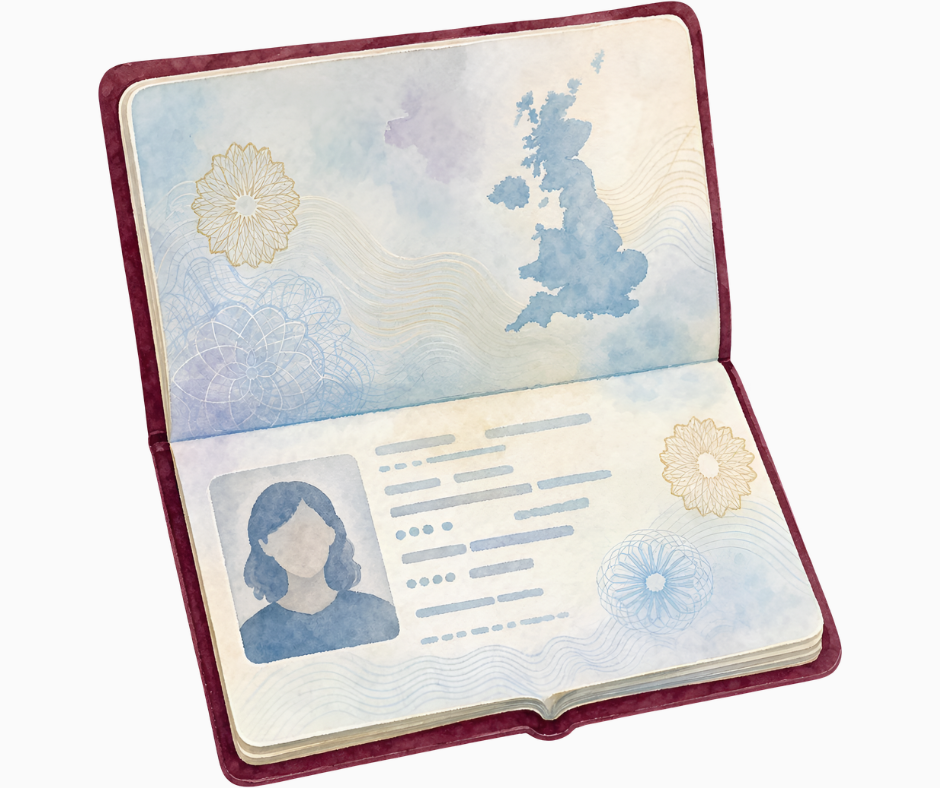
An ID image can support identity theft long after a fake webpage disappears. Before taking a photo, clear unrelated papers from the frame and check whether the app is asking for only the required side or page. Avoid leaving extra copies in a shared photo album, chat thread, download folder or public cloud link.
Do not add an improvised watermark unless the verified provider says it accepts one; it may cause a legitimate submission to fail. If you keep a personal record, note what document was submitted, to which legal entity and on what date rather than circulating the image again.
Privacy notices should explain the collector, purpose and contact route. They will not answer every operational question, but a missing or contradictory notice is a reason to pause. The National Privacy Commission also describes data-subject rights and complaint routes; these rights are useful if personal information is mishandled, but they do not replace immediate account security after suspected theft.
During KYC
Use only the provider’s official app or HTTPS site. Follow the current on-screen instructions; do not send extra documents through social-media chat. Photograph only what the legitimate process requires, avoid showing unrelated documents, and review permission requests.
A legitimate system may ask you to repeat an image if it is unreadable. That does not justify giving a password, seed phrase, one-time code or remote access to your phone.
Use a stable connection and finish in one verified session where practical. Read each permission prompt. Camera access during an in-app identity capture can be expected; a request for contacts, accessibility control, screen sharing or installation from an unknown source deserves separate scrutiny.
If the app rejects a document, return through the same verified route. Do not search social media for an individual who promises to “manually approve” it. Genuine support may explain accepted documents or reset a submission, but it does not need a secret that can authorize withdrawals.
Red flags for fake verification

- A direct message threatens immediate loss unless you click its link.
- “Support” asks for a seed phrase, password or verification code.
- The domain contains extra words, substitutions or a different ending.
- An app publisher cannot be matched to the official provider.
- You are asked to install screen-sharing or remote-control software.
- The person requests payment or a crypto transfer to “activate” KYC.
- The privacy notice, company identity or support route cannot be found.
A failed check is not automatically a scam—but the response can be
Legitimate checks fail for ordinary reasons: glare, cropped edges, a name mismatch, an expired document, an unsupported ID type or poor liveness capture. The correct response is to read the in-app reason and use the provider’s official support process.
A scammer may exploit that moment by offering guaranteed approval, asking you to submit another person’s document or requesting a fee to “unlock” the account. Do not alter information to bypass a control. Inaccurate onboarding data can create later restrictions and make genuine recovery harder.
For OFWs and regional users, country of residence, nationality, document issuer and source of funds can be separate fields. Answer the question actually asked and keep supporting records. Do not choose the “easiest” country or borrow an address simply because a form is inconvenient.
Philippine scenario: Carlo receives two links
Carlo begins registration from the provider’s official website. Later, a text claims his KYC failed and links to a nearly identical domain.
He does not use the text link. He opens the bookmarked app, checks its notification center and contacts support through the channel already listed there. If a new submission is genuinely required, he completes it inside that verified session.
The extra minute protects both the account and his ID.
After approval
Review active sessions, recovery methods, login alerts and withdrawal protections. Keep the provider’s official support details outside the account so they are available during an incident. Do not post an approval screenshot containing your name, ID number, QR code or account identifier.
If an ID was submitted to a suspicious page, preserve evidence, secure email and financial accounts, contact the genuine provider, monitor for misuse and consider appropriate privacy or law-enforcement reporting.
Also review whether the same ID, email, phone number or password was used elsewhere. Change exposed credentials from a clean device; an ID number cannot be changed as easily, so monitoring and accurate incident records matter. Do not pay someone who promises to erase the document from the internet or guarantee identity recovery.
Your safe-onboarding rehearsal
Before a real submission, practise the route without uploading anything:
- Find the provider through an independent official source.
- Match the legal entity and domain to the terms and privacy notice.
- Locate the official support and complaint channels.
- Identify the exact information requested and the stated purpose.
- Confirm that email, device and MFA are ready.
- Decide where recovery codes and your non-secret onboarding record will live.
- Close the page, reopen it from your bookmark and confirm you reach the same service.
This small rehearsal trains the habit we will use for deposits and withdrawals: verify the route before value or identity data enters it.
How this connects to market mastery
KYC and due diligence later connect to account reviews, Travel Rule information, sanctions controls and cross-border access. A serious market participant understands that a transaction has both a network layer and a regulated service layer.
Key takeaways and check
- Verify the provider, exact activity, domain and app publisher before submitting data.
- KYC may be legitimate; unsolicited “verification” links may not be.
- No KYC helper needs a seed phrase, password or one-time code.
- Approval does not guarantee an asset, provider or transaction outcome.
Security check: Before uploading an ID, point to the official domain, privacy notice, provider identity, app publisher and support route. If one cannot be verified, pause.